Android currently accounts for almost 90% of smartphones, and it is undoubtedly the most used operating system in the world. That's why we want to recommend 10 apps that you should install on your Android device to get the most out of it.
You probably already know it. This app helps you translate text into any language. But, did you know about these new features?
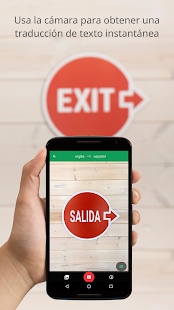
- Translate text with the camera: Did you find a printed text that you want to translate? Grant the app the necessary permissions and translate whatever you want using the camera.
- Handwriting translation: Write any word on your device using the handwriting option, and the app will recognize and translate the text into the language you want.
- Translate conversations: Imagine you're traveling to another country and you don't speak the language. Don't worry, Google Translate can now translate conversations in real time.
- Translate blogs: If you're reading a text on a website and you don't know the meaning of a word or phrase, you can translate it without having to open the app. You simply need to select the phrase and that's it, you already have the translation.
Without a doubt, Google Translate is a hero that you should have on your device!
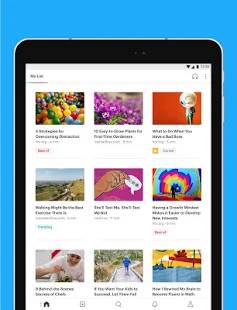
How many times have you found interesting information on the internet, but you couldn't read it at that moment? Pocket saves any article, YouTube video, or webpage so you can read it later.
It also has other interesting features, such as listening to the articles you saved, selecting them as favorites, highlighting sections, organizing them with tags, and more. If you pay for the premium version, you'll have storage for everything you save on Pocket's servers, even if the website disappears.
An excellent app for centralizing all the information you find on the internet!
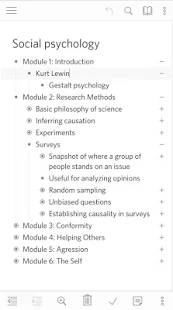
Dynalist is simply an app that helps you organize your ideas through lists. But, what makes it special? You can open them at multiple levels and focus on each topic in an organized way.
For example, if you are organizing information for an exam, presentation, or script for your YouTube video, Dynalist allows you to organize the information using bulleted lists that will help you focus and organize all those scattered ideas.
Whenever you need to organize many ideas, Dynalist will be an excellent option for you.
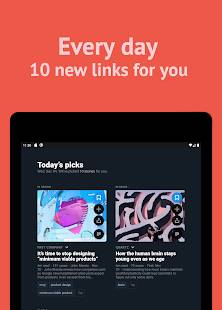
If you are involved in content marketing or you enjoy researching and learning about a specific topic, Refind will find the information you need based on your interests.
Are you interested in programming, Machine Learning, design, health, video games, or another specific topic? It doesn't matter which one! Refind has a wonderful algorithm that will search for all the information related to the topics you have chosen.
If you don't like an article that the app has suggested, you can tell it that you don't like it so that it can suggest better articles next time.
The most interesting thing about this app is that it suggests trends and articles that you might never have seen.
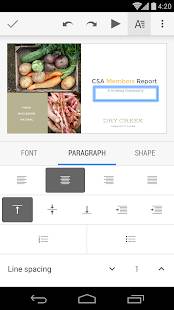
Before giving a presentation, we need to rehearse, review our notes again, or make any last-minute changes. You don't need to go to the computer to do this; you can do it directly from your phone.
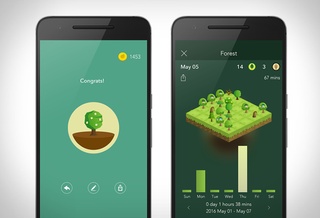
Surely you have experienced the situation where you start studying, working, or concentrating on an activity, but you suddenly feel the urge to check your social media or watch a video. With Forest, you can avoid this.
Every time you complete a task, you will plant a virtual tree that will grow over the time you assign it. If you open another application, your tree will die, and you will not achieve your goal.
If you want to stay focused and stop wasting your time in a fun way, this app is for you!
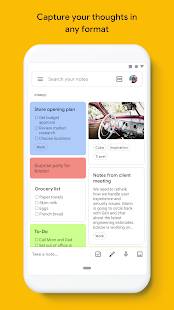
Saving notes, audio, or images as if it were a notebook is very easy with Google Keep. The app allows you to create shortcuts on your phone's home screen, with which you can record audio notes or written notes without even entering the app.
It's useful when you have ideas that you can't let go of and you need to jot them down so you don't forget them.
Another feature is that you can save photos or screenshots with text, and the app takes care of extracting the characters. You no longer have to waste time transcribing certain texts; Google Keep can do it for you.
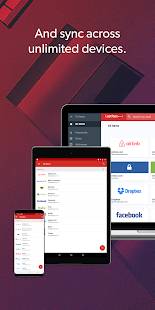
Imagine having all your passwords stored in one place without the risk of forgetting them. Last Pass stores your passwords and logins, generates secure passwords, and stores information such as bank account numbers, credit cards, and private notes.
With LastPass, you can manage your passwords securely and productively.
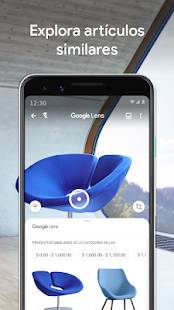
This app adds camera recognition through artificial intelligence. It recognizes objects, items for sale, plants, animals, and anything else you can think of.
Suppose you go out and see a restaurant that catches your eye. If you use Google Lens, it will recognize which one it is and provide you with information about it, reviews, and much more.
It's a perfect app to simplify your searches with just your camera.
10. Apps we use at EDteam to work remotely
EDteam is the only 100% remote online education platform. What does this have to do with the list of apps? Currently, many companies are sending their employees to work from home due to the Coronavirus, so you will surely be interested in knowing which apps we use to work remotely from 8 countries:
- Slack: It's the messaging system we use to manage work teams, saving time and centralizing communication. It also integrates with tools such as: Google Drive, Twitter, MailChimp, Asana, etc.
- Notion: A great app for organizing all internal documentation. You can divide all the information and group them into tabs, for example: the information that will be published in infographics, videos, blog, etc.
- Asana: It's the work management app we use to stay focused on goals, projects, and daily tasks that help EDteam grow.
Here are a couple more tools:
11. 📱 The EDteam Progressive Web App
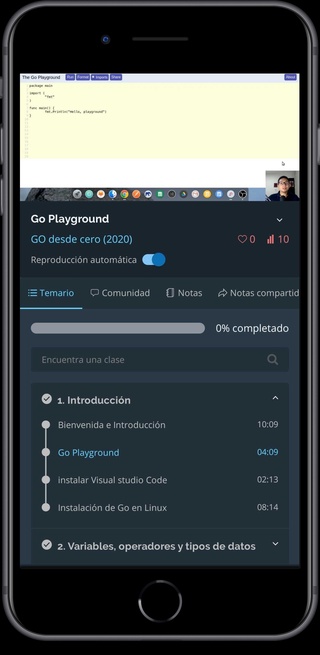
You will be able to see all your courses, read blog articles, and review community posts from your phone. This app is not on the PlayStore because it is a PWA (Progressive Web App), meaning it's a web app that functions like a native app.
How to install it?
- Access the EDteam page from your browser.
- From the three dots in the top right corner, click "Add to home screen".
- Then, find the EDteam logo on your home screen.
- That's it! You can now access your courses from your mobile device and continue mastering technology.
You can also learn to develop Android applications with the Specialization: Mobile Development with Android. You will follow 8 courses in which you will learn from scratch to create your own Android applications and publish them on the PlayStore.
📚 Start the specialization here
Do you know any other application that helps you at work or in your productivity? Tell us in the comments.
Thank you for reading this post and see you next time! 👋😊